Change a Part or Parts of an Assembly to Another Part
General
- In an assembly, you can change:
- Part
- Item
- Subassembly
- Library component
- Assembly pattern
- Changing a part and item opens the browser for the class or folder from which the part to be changed originates.
- You can also select a new part from any new location, or based on some other classification.
- To maintain geometric constraints, the changeable parts must meet the following conditions:
- The parts must have the same topology. This is achieved e.g. so that one part is modeled first, which is then saved as a new part to which changes are made.
- The counterpart elements of the changeable part (surface, line, point) have the same name:
- Select an element (face, line, point).
- Select Properties.
- Enter the element Name.
Change a part as follows:
- Select in the assembly:
- Part
- Subassembly
- Library component
- First component of a pattern
- Select the context-sensitive function
 Change.
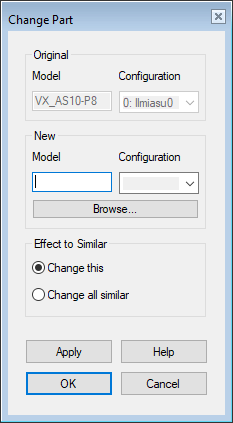
- The program opens a dialog box: Change Part.
- The program also opens the Select browser. Browsers
- Select a replacing part, subassembly, component, or item:
- If necessary, click Browse to reopen the browser.
- Select Configuration.
- If the model has configurations, you can select a configuration.
- Select which parts will be replaced
- Change This – The selected part/component only.
- Change All Similar – Parts.
- Select OK.
Selecting configurations when changing a part
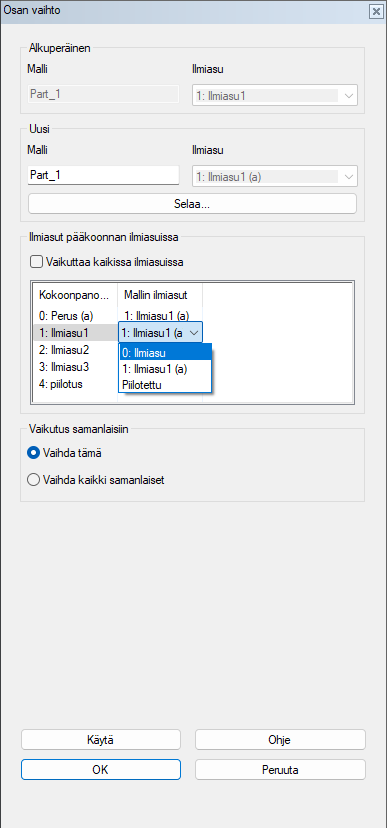
This function allows you to select the configurations of the replaced part in the assembly configurations. You can also hide a part individually from all configurations except the active configuration of the assembly model.
The configurations can be selected by clearing Affects at all configurations.
Change multiple parts
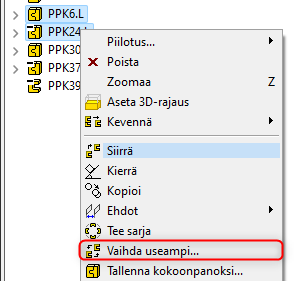
When multiple parts or assemblies of the same type are selected, the context-sensitive menu includes the option Change multiple…. The types of parts must be the same, for example, profile, component, part, sheet metal, etc.