
Creating an Isometric Projection from a Projection
General
- Create an isometric projection by dragging the main projection from the desired corner.
- You can create an isometric projection from the desired direction as seen in the main projection.
- This makes creating drawings faster and easier to control the projection directions.
Steps
- Activate the projection and select a corner and the blue arrow from which to drag the new projection.
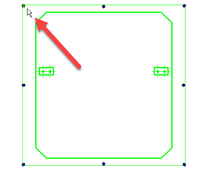
- Select the projection location.
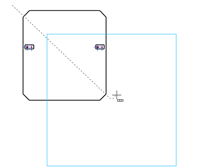
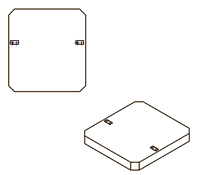
Note: Grip points are created at the corners for isometric projections from the selected projection. If the selected projection is cut, the isometric projection grip points (top left, top right, bottom right, and bottom left) are not created from the active projection.