
Bend a Sheet Metal Part Using a Line
Sheet-Metal Design
General
- With the function, you can bend a sheet metal part along lines drawn in the sketch.
- You can sketch multiple bending lines in the same sketch.
- The line indicates the position of the bending axis.
- The sheet bends in the direction of the sketch surface.
- You can choose the side to be bent.
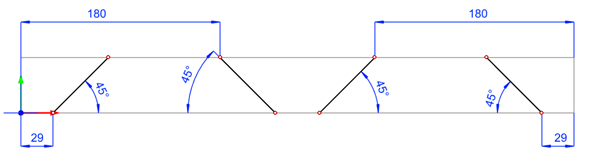
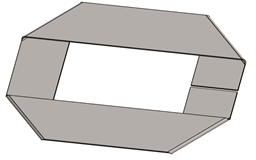
Create a sketch-based bend
- Create New Sketch on a Planar Face.
- Sketch a line or lines along which you wish to bend the part.
- Select
 OK.
OK. - Select

 Bend.
Bend. - Define the bend data in the dialog box.
- Bend radius.
- Bend angle.
- Bend side.
- Depending on the stretch calculation method you choose, you can enter the V-opening, the tool radius and the K-factor.
- Select OK.
Note:
- Edit the feature properties by first selecting the face formed by the feature, and then selecting the Edit Operation function.
- Edit the feature sketch by first selecting the face formed by the feature, and then selecting the Edit Sketch function.