Line Length
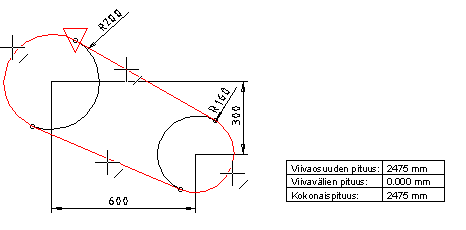
Calculate the length of a line, a chain of lines, or multiple chains of lines in a drawing. You can open the calculation result in a text editor, add it to the drawing, save it in a file or print it out on a printer.
- Select Output | Zone |
 Polyline length calculation tool >
  Calculate line length.
 - Select the line selection method from the auxiliary menu that opens by right-clicking.
 Seek a single line - Click on a single line. Default selection method.
 Seek a selected chain of lines - Click on multiple lines and then select Confirm.
 Seek a chain of lines automatically - Click on a single line in a line chain that consists of individual lines. The program will search for the other lines automatically. You can click on multiple line chains. Select the Confirm function.
- Click on the line or chain of lines according to the line selection method you have chosen.
- From the Line length menu, select to print the calculation result to one of the following:
- Text processing - The calculation result opens in the text processing program of your choice.
- Insert to drawing - Click the location of the calculation result in the drawing.
- Save - Save the calculation result under a file name.
- Output - Print the calculation result to a printer.
- Exit the menu by clicking the Cancel button.