
Color of Hidden Lines in Drawing Projections
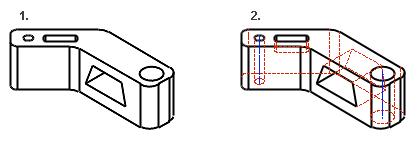
If hidden lines are drawn in dashed lines in the drawing projection, the dashed lines can be drawn in a different color than other geometry lines.
Black is the default color for hidden lines. You can select another color in the settings.
 Projection Settings dialog box
As an example, a part model.
 Hidden Lines
 Hidden Lines
Defining the Color of Hidden Lines in the Settings
- Select
 >
>  System Preferences >
  Edit.
Edit. - Select Administrator's View.
- Open the keyword group menu.param.
- Select Default Line Insert Parameters.
- Select the cell: linep_set(4) 2 0.25 4 3 0 (HIDELINE) (default)
- Define the line properties in the Value field: Layer (1), Line width (2), Line type (3), Scale (4), and Color (5).
Enter the pmap color number Pen color (numerical order) 196
For example: 2 0.25 4 3 196
- Select OK.