
Free-form Cut
General
- You can easily create cut projections in exploded views and isometric projections.
- You can also make the cutting shape vary in connection with deformations of the part.
- This enables the creation of even more versatile cut projections.
Creating a free cut tool in an assembly model
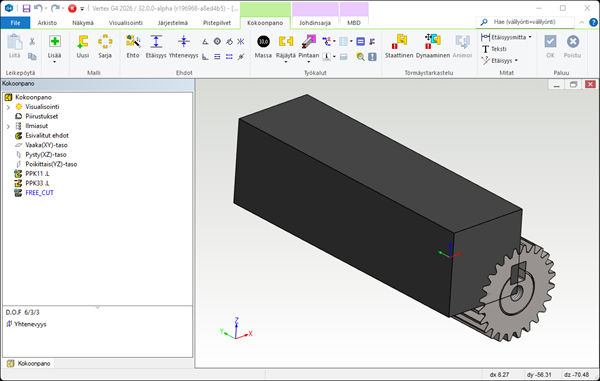
- Model a part in the assembly that matches the cut points in the model. You can use all normal modeling tools to model the part.
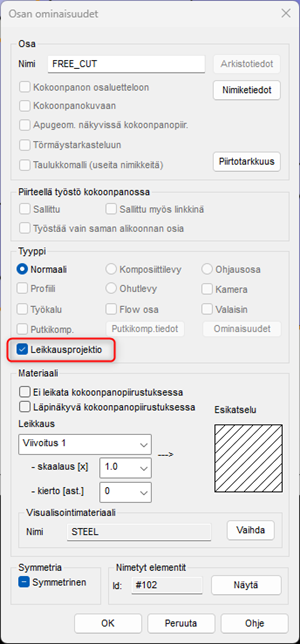
- Select Projection cut from the part properties.
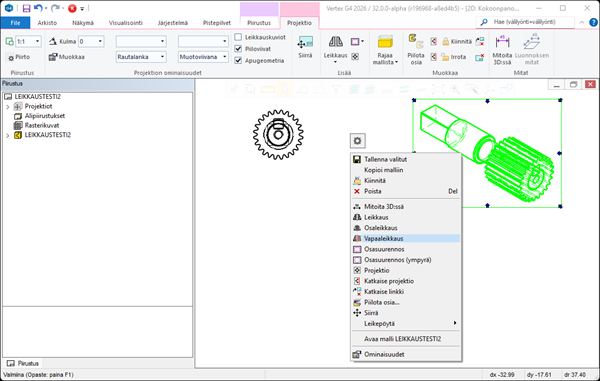
- Activate the projection cut in the drawing.
- First, make a projection from the desired direction and select Free-form cut from the context-sensitive menu.
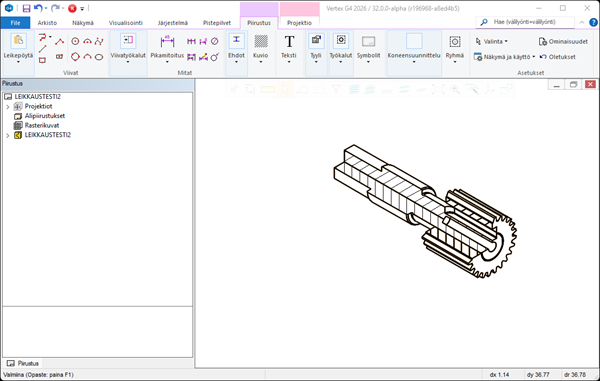
- After this, the program processes the surfaces of the model and you get the desired cut in the drawing.
Note:
- The parts used for free cut can be managed by hiding them from the configuration, because the projection is configuration-specific.
- The type of part model used for cut is dark gray by default. The same color is used in the tree for these parts.