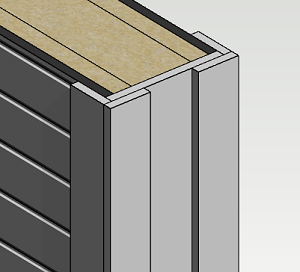
Add Corner Trims to the End of a Wall
Add corner trims to the free end of an individual wall as follows:
- Activate the model window.
- Select a wall.
- Select Wall |
 Corner Trim.
 - Select the corner trim set in the browser. Select a browser folder and double-click the corner trim set.
- Click the wall end, on which you wish to add the corner trims.
Note: You can model your own corner trim set in the component library which is suitable for the free end of a wall. Read more in the instructions Corner Trim Library.