
Add a Punch to a Structure
IFC Converter
You can punch a structure using a pipe in an imported IFC model. The structure can be a wall panel, for example. The pipe may be round or rectangular.
This method is suitable if there are a large number of pipes. You can select all pipes at once, and then select the function from the context-sensitive menu.
The pipe in the IFC model should be of one of the following IFC object types:
- IfcFlowSegment
- IfcFlowTreatmentDevice
- IfcBuildingElementProxy with the IFC propery set “Pset_ProvisionForVoid”
- IfcBuildingElementProxy whose type (PredefinedType) is “PROVISIONFORVOID“ (IFC4 only)
- IfcVirtualElement whose type (PredefinedType) is “PROVISIONFORVOID“ (IFC4x3 only)
- IfcCovering whose type (PredefinedType) is “INSULATION“
Note: Requires that the IFC model has been imported with Vertex BD 2023 (29.0) or a later version that uses the ODA tool for IFC import.
Importing an IFC model requires the add-on option IFC Converter of the Vertex BD software.
After you have imported an IFC model as an object model into the project, you can perform the punch using the function Add punch to structure.
- Select the pipes.
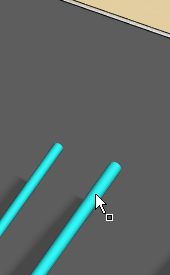
- Right-click to open the context-sensitive menu.
- Select IFC > Add punch to structure.
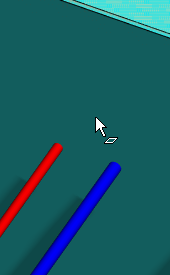
- Select one or more structures (panels).
-
Select Confirm.
A window opens, displaying the dimensions:- The diameter of the round pipe and the diameter of the hole.
- The width/height of the rectangular pipe and width and height of the hole.
- Edit the hole dimensions.
- Confirm by clicking OK.
Note:
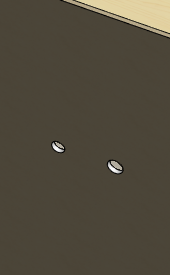
- The holes are generated for both the frame and sheathing parts.
- You cannot edit the tolerance afterwards.
- This corresponds to the function Generate Utility Holes.
- The holes can be removed using the function Remove Utility Holes.