
Punch Using a Pipe
Piping Design, IFC Converter
You can punch a structure using a pipe in the model. The structure can be a wall panel, for example. The pipe can be added with a piping design function (Piping Design add-on option in Vertex BD) or it can be a pipe in the imported IFC model (IFC Converter add-on option in Vertex BD). The pipe may be round or rectangular.
This method allows you to quickly add holes when there are a few pipes.
The pipe in the IFC model should be of one of the following IFC object types:
- IfcFlowSegment
- IfcFlowTreatmentDevice
- IfcBuildingElementProxy with the IFC propery set “Pset_ProvisionForVoid”
- IfcBuildingElementProxy whose type (PredefinedType) is “PROVISIONFORVOID“ (IFC4 only)
- IfcVirtualElement whose type (PredefinedType) is “PROVISIONFORVOID“ (IFC4x3 only)
- IfcCovering whose type (PredefinedType) is “INSULATION“
Once you have added a pipeline or imported an IFC model as an object model to the building, you can add a punch by using the punch component.
- Do either of the following:
- Select Modeling | Accessory Component | Component gallery

 Component.
 - Right-click to open the context-sensitive menu, and select
 Add Furniture, Symbol, Building Group....
- Select Modeling | Accessory Component | Component gallery
- In the browser, select the folder Building services / HVAC / Ducts.
- Select either of the following:
- Duct hole, round (cursor snap)
- Duct hole, rectangular (cursor snap)
- When you move the cursor at a pipe in the model, the component is locked to move in the direction of the pipe's longitudinal axis. To detach the component from the pipe, press the Alt key and move the cursor over another pipe. The size of the component changes according to the pipe. The tolerance set in the component properties is added to the diameter of the round component and to the width and height of the rectangular component.
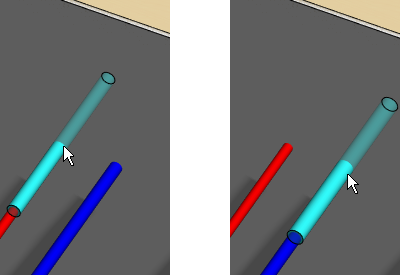
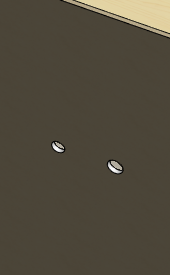
- Select a location for the component. You can see the hole created when you hide the component.
- You can edit the tolerance afterwards by editing the properties of the component.
Note:
- The holes are generated only on sheathing parts.
- You can delete the hole by deleting the punch component.
- You can also punch a structure using a pipe in an imported IFC model using the function Add a Punch to a Structure.