Check Panel Dimensions
Framer
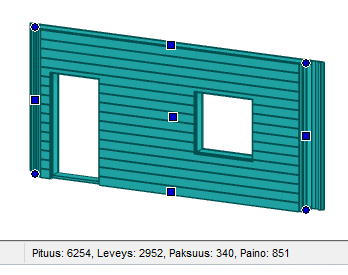
When you select a panel or panel assembly, its dimensions (length, width, thickness, and weight) are displayed on the status bar. Dimensions are the dimensions of a rectangular prism within which the entire panel can fit. For a wall panel, the dimension "width" means the height of the panel.
Activate a drawing-model pair of the frame, and select a panel or panel assembly in one of the following ways:
- Select the panel label in the object tree.
- Select the panel label in the floor plan.
- Select the panel by using a part: hold down the Alt key, and click a part.