
Create a Panel Assembly
Framer
You can form a panel assembly from panels. The panels can be wall, floor, ceiling, roof or beam panels or frame lines. You can create a panel drawing and a 3D panel stack for transportation planning of the assembly.
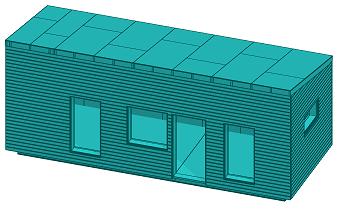
First, create the necessary wall panels, floor, ceiling or roof panels, beam panels, or frame lines. After that, form a panel assembly as follows:
- Select the panels. Click the panel label in the floor plan, or select the panels in the object tree or model.
- Select Panel |
 Create panel assembly.
 - Enter the assembly data:
- Panel type - The basic delivery of the program includes the following types:
- Assembly - Suitable for an assembly consisting of beam panels or frame lines, for example.
- Prefab unit - Suitable for an assembly consisting of wall, floor, ceiling or roof panels, for example.
- Label prefix - Determined by default by the selected type, but you can enter any string you want in the text field.
- Start number - When you activate the field, it will be updated with the first free number available for the prefix you entered.
- Use - Determined by default by the selected type, but you can edit the value of the text field.
- ASSEMBLY when the panel type is Assembly.
- PREFAB_UNIT when the panel type is Prefab unit.
- Panel label visibility - Select either of the following:
- None - Panel labels are not displayed in the floor plan.
- Directly connected panels - The labels of the panels belonging to the assembly are displayed in the floor plan.
You can later change the visibility of the labels by editing the properties of the panel assembly.
- Panel type - The basic delivery of the program includes the following types:
- Confirm by clicking OK.
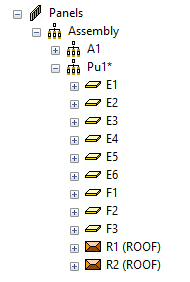
Panel assemblies are displayed in the Panels / Assembly branch of the object tree.
Note:
- A panel can only belong to one panel assembly at a time. When you create a panel assembly, the program will give an error message if the panel is already part of another panel assembly.
- If the panels are in different drawing-model pairs, the panel assembly goes to the active drawing-model pair. If necessary, you can move the panel assembly to another drawing-model pair.