
Check the Space Area and Volume
When you select a space object in the floor plan or model, its area and volume information is displayed on the status bar.
You can select multiple space objects to display their total area and volume on the status bar. If the area or volume of any space object is zero, the total area or volume is not displayed.
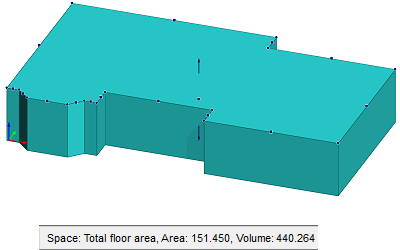
Note: If the space object is a space created in the building area calculation, it does not have a 3D representation by default, in which case only the area is displayed on the status bar. You can also select a 3D representation for a space, in which case the space object is displayed as a volume in the model.
- Select the space object in the floor plan or in the object tree.
- Right-click and select Presentation > 2D and 3D.