
Coordinates Symbol
Architectural, Framer
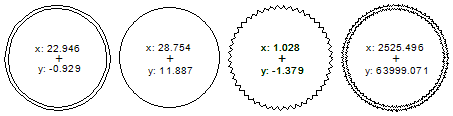
You can add a symbol to the floor plan that shows the x and y coordinates of a selected point. The coordinates are calculated according to the reference point you select. The symbol is a circle with the coordinates added as text inside. The line type of the circle is different for different reference points.
- Select Output |
 Coordinates symbol. The “Coordinate symbol” dialog box opens.
 - Select the symbol properties in the dialog box. See more details below.
- Confirm by clicking OK.
- Do either of the following:
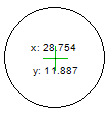
- If you selected Symbol on point as the presentation, click the point whose coordinates you want to mark on the floor plan.
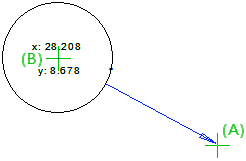
- If you selected the Arrow leader from symbol to point as the presentation, first click the point whose coordinates you want to show on the symbol. Then click the symbol location.
Coordinate symbol properties
- Select reference point for the symbol
- Select a reference point relative to which the coordinates of the selected point will be expressed.
- Model origin - The coordinates of the point relative to the absolute origin of the model.
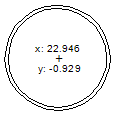
- Site origin - The coordinates of the point relative to the location of the site origin given in building coordinates. The location is given in the "Building coordinates and heights" dialog box under Site origin location in Vertex coordinates in the Site location x and Site location y fields.
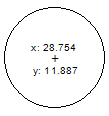
- Global origin -The coordinates of the point relative to the global origin calculated from the equator. The feature is available when Meters is selected in the "Building coordinates and heights" dialog box under Site location (SWEREF coordinate system). The location is given in the Site north and Site east fields.
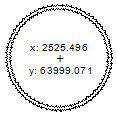
- Reference point - The coordinates of the point relative to the point you will click. Click Select, and click the reference point in the floor plan. The x and y coordinates of the reference point are displayed below the Select button.
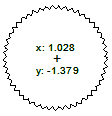
- Model origin - The coordinates of the point relative to the absolute origin of the model.
- Unit
- Select Meter or Millimeter.
- Select presentation for the symbol
- Select either of the following:
- Arrow leader from symbol to point - When you click OK in the dialog box, first click the point (A) whose coordinates you want to show in the symbol. Then click the symbol location (B). A reference arrow is drawn from the symbol to the point.
- Symbol on point - The symbol is added to the point you select.
- Arrow leader from symbol to point - When you click OK in the dialog box, first click the point (A) whose coordinates you want to show in the symbol. Then click the symbol location (B). A reference arrow is drawn from the symbol to the point.
Note: The symbol drawing files are in the system/macros/system folder. If you want to edit the symbol, first copy it to the custom/macros/system folder.
- coordmark.global.vxp
- coordmark.model.vxp
- coordmark.reference.vxp
- coordmark.site.vxp