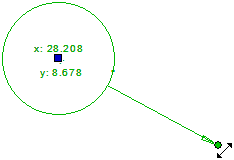
Edit the Coordinates Symbol
Architectural, Framer
You can edit the coordinate symbol.
- Double-click the symbol, and edit the properties in a dialog box.
- Move the coordinate symbol added to a point. Click the symbol, click the square grip point, and click the new location. The coordinates of the symbol are changed to correspond to the new location.
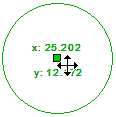
- Move the location of the reference arrow coordinate symbol. Click the symbol, click the square grip point, and click the new location. The coordinates of the symbol do not change.
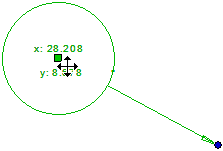
- Move the arrow head of the reference arrow coordinate symbol. Click the symbol, click the round grip point at the end of the arrow, and click the new location. The coordinates of the symbol are changed to correspond to the new location.