
IFC Validation
IFC Converter
You can use the validation function to check the validity of an IFC file.
- Do either of the following:
- Select IFC | Model import and export |
 IFC validation.
 - Select File >
 Import > IFC validation.
- Select IFC | Model import and export |
- Select the file in the Windows Open dialog box.
The validation results open in a separate window, showing the number of possible errors. More detailed information about the errors is collected in the log file [IFC file name]_ValidationLog.txt, which is created in the same folder as the original IFC file. You can open the folder by clicking Open folder. You can open the text file in the folder with any text editor.
The log file lists the line number where the error occurs and more detailed information about the error.
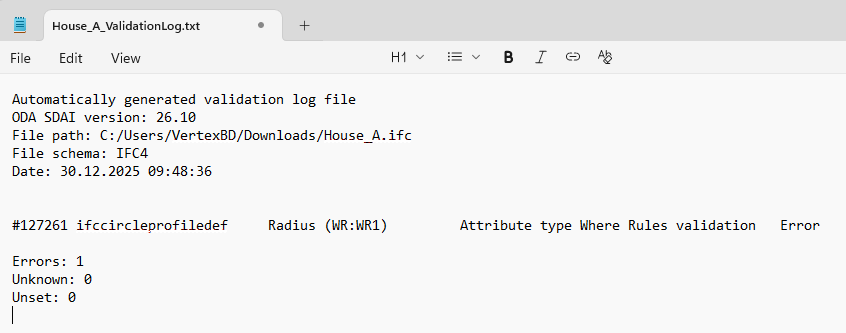
You can search for more information about the IFC definition related to the error on the Internet. The search usually leads to the site https://standards.buildingsmart.org/IFC/RELEASE.