Room Space
Architectural
When you select a label for a room, the program also adds the properties of the space defined in the room's default properties. The space data is displayed in the IFC space properties group on the Room tab.
If the space is not defined in the default properties, you can select the space properties as follows:
- Select the room in the floor plan or in the object tree.
- Select the space from the Space list in the IFC space properties group on the Room tab.
The list collects all the spaces with the type S_ROOM from the space library. The space library can be a system library or a customer-specific library.
- If necessary, edit the space properties by clicking
 Room space. Read more in the instructions Edit the Space Properties.
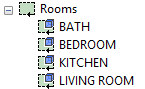
You can distinguish rooms with space properties in the object tree by this symbol: