
Dynamic Auxilary Planes
General
-
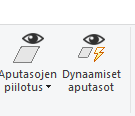
This mode temporarily hides auxiliary planes and performs the Show reference geometry [G] function. At the same time, it also turns off the function from the tool strip, if the function was on before the dynamic auxiliary planes mode was activated from the ribbon. The mode can be turned off either by clicking the previously mentioned button from the ribbon that led to the mode or by pressing the G key, which turns the reference geometry back on. If the mode is turned off by clicking on the function itself, the Show reference geometry [G] mode preceding this mode becomes active.
Functionality
In this mode, auxiliary planes are made visible when the cursor hits their “surface”. The mode can be used, for example, when adding constraints. In that case, it should be noted that the auxiliary planes may be on surfaces/points/lines related to the geometry of the model. In this situation, you can use the W or SHIFT+W key, i.e. the Snap through face function.
-
In this mode, it is not possible to use the Hide planes or Toggle the model's planes functions.