
Defining MBD Tolerances in a 3D Model
General
- Tolerance types can be selected from 14 different types (one selection possible at a time):
-
Straightness
-
Flatness
-
Circularity
-
Cylindricity
-
Profile of line
-
Profile of surface
-
Parallelism
-
Perpendicularity
-
Angularity
-
True position
-
Concentricity
-
Symmetry
-
Circular run-out
-
Total run-out
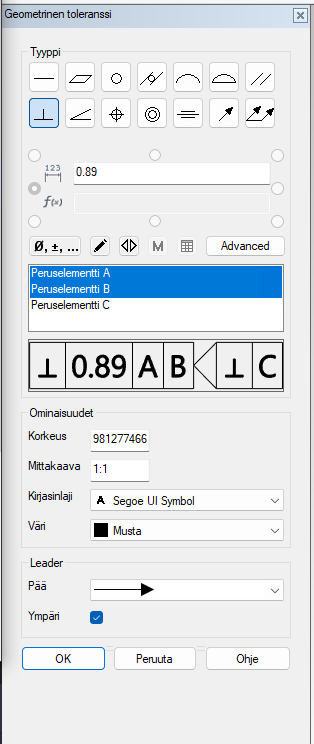
Value field:
-
With the prefix R / Ø / ø in the value field, the value can be defined as either radius/ diameter/ spherical, in which case the corresponding entry is displayed in front of the tolerance value
-
Otherwise, the value field parses only numeric values as the tolerance value
-
-
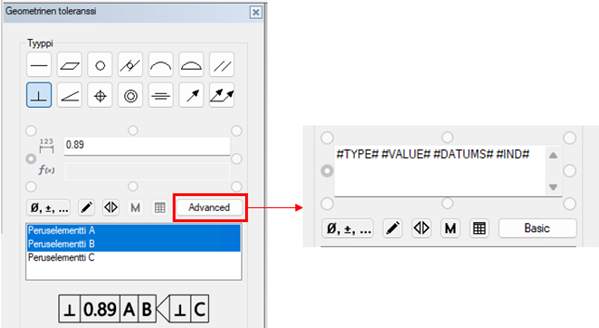
Mode change Basic vs Advanced:
Extended or reduced tolerance editing. Extended mode supports, among others, multi-line input / text macros / substitution table / dimension table variables, while the value is just a value.
Markings In the extended mode:
-
#TYPE# geometric tolerance type
-
#VALUE# tolerance value including prefixes
-
#DATUMS# selected basic elements
-
#IND# see additional markings 2, e.g. selection of cutting plane
Markings can be deleted / rearranged / supplemented as desired + e.g. frames and macros can be added freely.
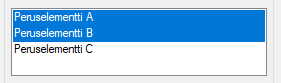
The basic element is selected from the list menu. It is possible to select 0-3 basic elements, excess selections are not added. The selection order is important and in general the selection order can describe the importance of the basic elements, the order will be the click order.
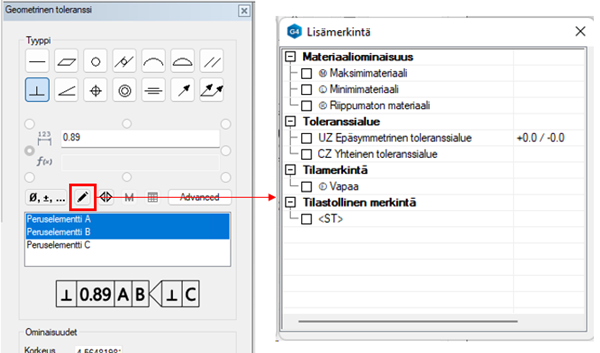
Additional markings 1
Additional geometric tolerance markings include:
-
-
Material properties
-
Tolerance ranges
-
Status markings
-
Statistical markings
-
- Additional markings 2
Other additional markings for geometric tolerances according to ISO 1101:2017:
1.directional plane
2.cutting plane
3.assembly plane
4.directional element
Functionality:
-
type selection (see above)
-
selecting one basic element from the drop-down menu
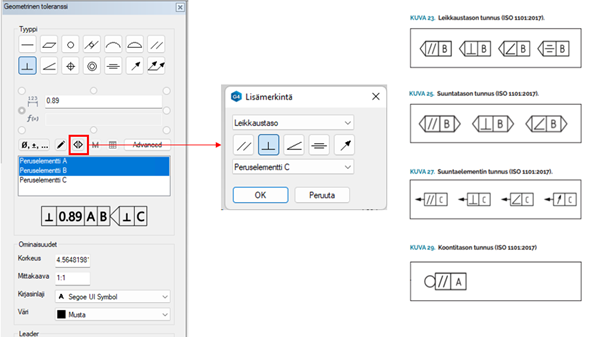
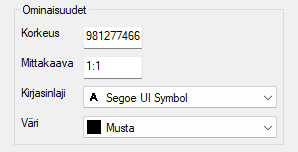
- The properties section is a reduced version of the normal text
In leader arrow selections, it is possible to change the head (by default, a circle).
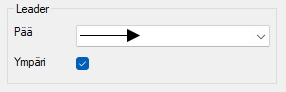
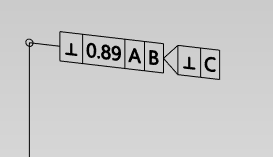
There is also the option to choose that the tolerance is “around” (disabled by default), in which case a circle is drawn at the corner of the tolerance arrow:
-