
Edit the Data Cards of Buildings in the Archive
When using a local archive, you can search for buildings in the archive based on search criteria. For example, you can search for all buildings by the same designer or customer, and edit the data cards of the buildings.
- Do either of the following:
- Select Archives | Buildings |
 Edit data
  Edit archive data.
 - Press Ctrl+J.
- Select Archives | Buildings |
- Fill in the search criteria in the dialog box. You can define one or more search terms. You can shorten a search term with an asterisk (*).
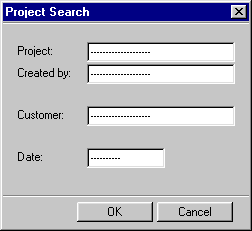
- Browse and edit the data cards of projects matching the search criteria in a database view. You can browse the data cards by using the cursor keys Arrow up and Arrow down.
Note:
- You can get the data cards of all buildings for editing by entering an asterisk (*) as the search criterion in the Building field.