
Create a Panel Drawing of a Panel Assembly
Framer
Create a panel drawing of a panel assembly in the same way as panel drawings of other panels. Read more about panel drawings:
The basic delivery of the program includes a template drawing library with a ready-made template drawing for both the assembly and the prefab unit.
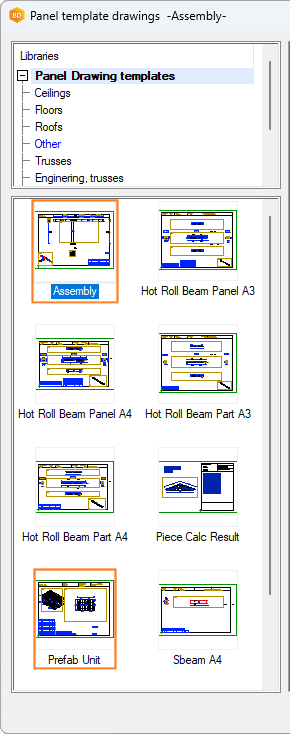
Read more about template drawing libraries:
The prefab unit panel drawing views show the panel labels when Labels is selected in the view properties.
Panel Assembly Drawing View Settings
You can add a schedule of the panels belonging to the assembly to the panel drawing by adding a view to the panel drawing. The template drawings included with the basic program delivery include ready-made panel schedules.
- Assembly - The template drawing has ready-made schedules of beam panels and lower-level assemblies, if the assembly contains them.
- Prefab unit - The template drawing has ready-made schedules of wall panels, floor, ceiling and roof panels, and beam panels, as well as lower-level prefab units and assemblies, if the assembly contains them.
You can add a schedule to a panel drawing by adding a view to the panel drawing.
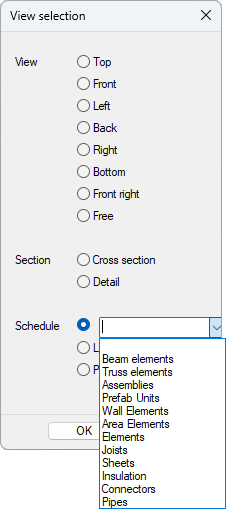
The schedules to be added to the panel drawing of an assembly or prefab unit are defined in the system settings in the keyword group bdsxx / Structural element drawing partlists with the keywords seds_set:

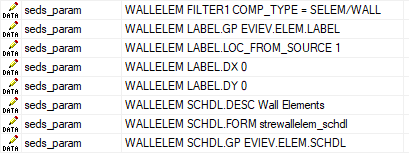
The parts to be collected to the schedules, and the format and presentation of the schedules are defined with the keywords seds_param. For example, wall panels included in a prefab unit:
Read more: