
Split
Point clouds
Split the point cloud imported into the assembly model into multiple point clouds.
You can split one large point cloud into several, smaller blocks. Splitting makes it easier to work with large point clouds.
Specify how many blocks you want to divide the point cloud into. The program adds the new blocks as parts to the active assembly model. The original point cloud is removed from the assembly. If there are no points in a block, the program deletes the block.
Photos and scan views are added to the block containing the closest points.
- Select Point clouds |
 Split.
The Split dialog box opens. The dialog box shows the point clouds found in the model. When you move the cursor to a point cloud row in the list, the program marks it in the model and in the feature tree.
- Select the point cloud from the list.
- Adjust the number of blocks in the direction of the coordinate axes using the sliders or enter the number in the text field.
- Confirm by clicking OK.
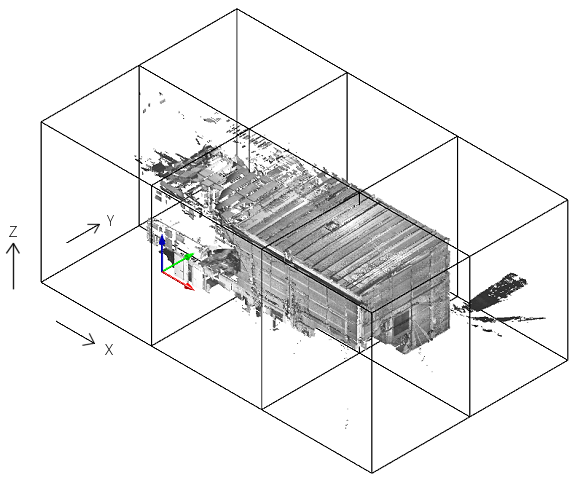
 Point cloud > Split.