
Create a Conversion Rule Dialog Box
IFC Converter
Define the rules that will search for IFC objects to be converted in the IFC model and convert them to Vertex BD objects.
The options in the dialog box depend on the object type for which you are defining the rules. The dialog box has three parts:
- On the left, you define the search criteria that will filter the IFC objects in the model.
- In the middle, you will find a list of IFC objects in the model that meet the search criteria.
- On the right, you can define the conversion rules that will convert IFC objects that meet the search criteria to Vertex BD objects.
After you have defined the conversion rules, you can convert IFC objects using Convert IFC Objects to Vertex Objects or Convert the Selected IFC Object to a Vertex Object.
Dialog Box Options
- Description
- Type a description for the conversion rule. Based on the description, you will select the conversion rule when converting IFC objects to Vertex BD objects. You can convert IFC objects using the following functions:
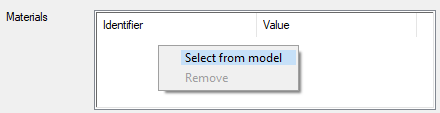
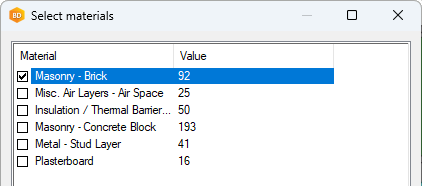
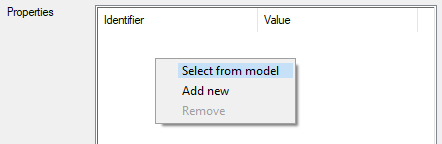
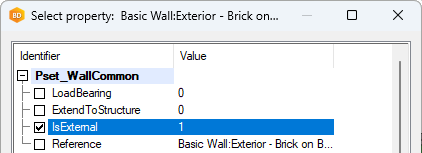
- Define search criteria for IFC object selection
- Select the IFC entity for which the rule will be used. The entities depend on the object type for which you are defining the rule.
- Wall
- IfcWall
- IfcWallStandardCase
- Profile
- IfcBeam
- IfcColumn
- IfcMember
- Floor or Ceiling
- IfcSlab
- IfcRoof
- Door
- IfcDoor
- Window
- IfcWindow
- Space
- IfcSpace
- Wall
- IFC objects that meet the criteria
- IFC objects that meet the search criteria are updated in the list in the middle. When you select an object in the list, it is also highlighted in the model.
- Conversion
-
Select object-specific conversion rules:
- Save
- Save the conversion rules in the library. As a system administrator, you can save the rule in your own customer-specific conversion rule library. The rule is available in all buildings. If you do not have system administrator privileges, you can save the rule in a building-specific library.